

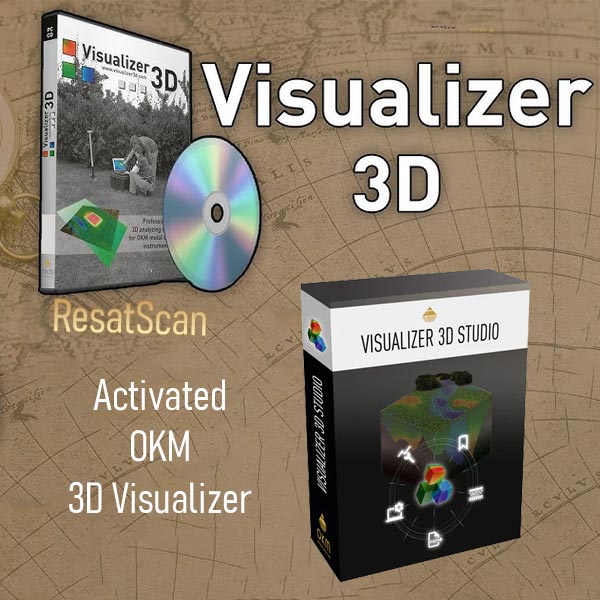
Download activated OKM Visualizer 3D software
170,00 $
OKM Visualizer 3D Studio – Professional 3D imaging software for OKM metal detectors. Visualize underground scans in stunning 2D/3D, determine position, size & depth of hidden objects before digging. Essential for treasure hunters & archaeologists.
Are you searching for a reliable way to analyze 3D scans from your metal detector? The OKM Visualizer 3D Studio software stands out as a top-tier tool designed by the renowned German company OKM. This powerful program transforms raw scan data into detailed, interactive 3D visualizations, helping treasure hunters, archaeologists, and professionals uncover hidden underground structures with precision. In this comprehensive guide, we’ll explore everything you need to know about downloading OKM Visualizer 3D, its features, compatibility, and why it’s essential for users of OKM devices.
What is OKM Visualizer 3D Software?
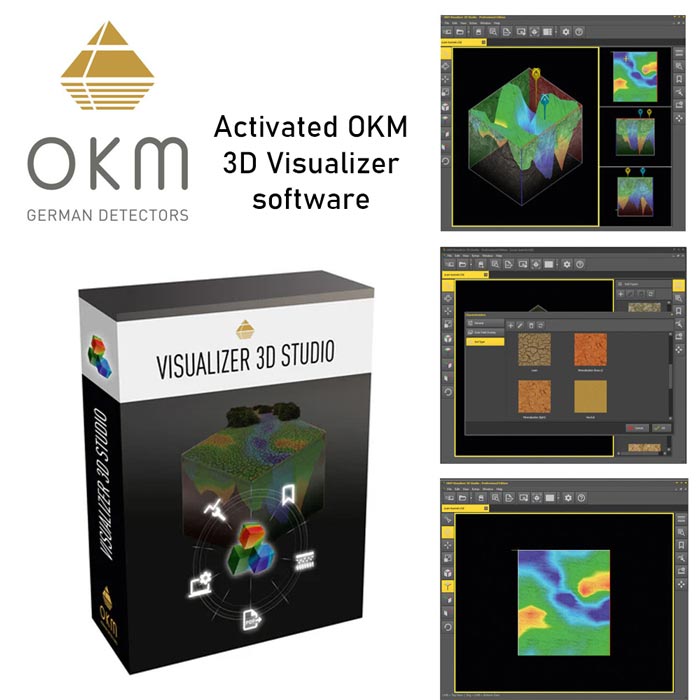
The OKM Visualizer 3D is specialized analysis software tailored for interpreting scans captured by metal detectors. Unlike basic imaging tools, it provides in-depth 3D rendering of underground data, allowing users to rotate, zoom, and examine scans from multiple angles. Developed by OKM GmbH in Germany, this software is a must-have companion for anyone using advanced ground-penetrating radar (GPR) or imaging metal detectors.
Key benefits include:
- High-Resolution 3D Views: Convert scan files into vivid 3D models to identify metals, voids, and anomalies.
- User-Friendly Interface: Intuitive controls for beginners and pros alike.
- Data Export Options: Save visualizations in various formats for reports or further analysis.
If you’re dealing with complex scans from treasure hunting expeditions, this software elevates your detection game by offering visual insights that go beyond traditional 2D images.
Who Should Use Visualizer 3D Studio?
This software is ideal for owners of compatible metal detectors, particularly those from OKM. It’s not a standalone treasure-finding app— it requires actual scan data from a device. Common users include:
- Professional treasure hunters seeking accurate underground mapping.
- Archaeologists analyzing historical sites.
- Geologists or surveyors working with ground scans.
Note: If you think Visualizer 3D works like satellite-based treasure software without hardware, that’s a misconception. It solely processes data from physical scans, making it perfect for integrating with your OKM metal detector setup.
Download Options for OKM Visualizer 3D
Looking to download OKM Visualizer 3D software? Official versions are available through OKM’s website, often bundled with their devices on CD, DVD, or USB. However, if you’ve lost your copy or need an alternative, sites like Re Sat Scan offer accessible downloads.
Free and Demo Versions
- Demo editions provide limited functionality for testing features.
- Older cracked versions are circulating online, but they may lack updates and full compatibility.
For unrestricted access, consider the cracked and fully activated OKM Visualizer 3D available on Ganj Bama. This version supports unlimited use without needing activation codes, compatible with Windows 7, 8, 10, and 11.
Purchasing the Original Software
To get the latest OKM Visualizer 3D Studio Professional Edition or Standard Edition, buy directly from OKM. These come with official activation keys and are optimized for new devices. If you’re purchasing an OKM metal detector, the software is typically included, complete with a license for seamless activation.
New Features in the Latest OKM Visualizer 3D Versions
OKM continually updates their software to enhance performance. The current lineup includes:
- Professional Edition: Advanced tools for in-depth analysis, including enhanced 3D modeling and export features.
- Standard Edition: Solid core functionality for everyday users.
These editions support Persian language options and are designed for modern Windows systems. While cracked versions of older releases are available for free download, the newest ones require official purchase for full features and compatibility.
Visualizer 3D for Android: Mobile Analysis on the Go
OKM also offers an Android app version of Visualizer 3D in APK format. This mobile edition allows quick scan reviews on smartphones, though it’s more limited than the desktop counterpart. Demo versions are free on app stores like Google Play, but for full capabilities, stick to the computer-based software. Currently, ResatScan focuses on providing the Windows version for download.
Compatibility with OKM Metal Detectors
One of the strongest aspects of OKM Visualizer 3D is its broad compatibility. It works seamlessly with a wide range of OKM devices, ensuring you can analyze scans without issues.
Current OKM Models
- Delta Ranger
- Evolution NTX
- eXp 4500
- eXp 6000
- Fusion Light
- Fusion Professional
- Fusion Professional Plus
- GeoSeeker
- Gepard GPR 3D
- Ground Navigator 2.0
- Rover C4
- Rover UC
Legacy OKM Models (with Data Transfer Support)
- Future 2018
- Evolution
- Rover C – New Edition
- Rover C II – New Edition
- Rover Gold
- Rover Deluxe – New Edition
- Future I-160
- GEMS
- eXp 4000
- eXp 5000
- Ground Navigator
Even some non-OKM devices from Iranian or international brands may adapt to this software, expanding its utility.
How to Install and Use OKM Visualizer 3D
Installation is straightforward:
- Download the file from a trusted source like resatscan co.
- Run the setup on your Windows PC or laptop.
- No activation code needed for cracked versions—it’s ready to use.
For tutorials, search YouTube for “OKM Visualizer 3D tutorial” in English or Persian. Free PDF guides are also available online, covering basics to advanced features.
Why Choose Cracked OKM Visualizer 3D?
If you’re tired of demo limitations or lost your original disc, resatscan provides a fully activated cracked version of the software. This includes:
- No restrictions on usage.
- Support for 2D and 3D scan views.
- Compatibility with most OKM detectors.
Download today and unlock the full potential of your metal detector scans. Whether you’re a hobbyist or professional, OKM Visualizer 3D download options make it easier than ever to visualize underground treasures.
For more treasure hunting software and tools, explore resatscan collection of computer and mobile apps. If you have questions about compatibility or installation, feel free to reach out!
Be the first to review “Download activated OKM Visualizer 3D software”
Related products
Reviews
There are no reviews yet.